
Why Ongoing Training Pays Off for Law Firms
Helping law firms maximize the value of their technology investment.
Why Go-Live is Only the Beginning: The Case for Ongoing Training
Implementing a new practice management system is a significant investment for any law firm. Firms spend months evaluating software, planning the implementation, migrating data, and training attorneys and staff before go-live.
But what happens after implementation is complete?
For many firms, formal training ends the day the new system goes live. That’s when the real work begins. Over time, employees fall back into familiar habits, new hires learn from coworkers instead of structured training, and valuable features go unused. The result is a growing gap between what the software can do and how the team actually uses it. Ongoing training helps close that gap.
QUICK TAKEAWAYS
✓ Training shouldn’t end at go-live
✓ Improve user adoption
✓ Increase efficiency
✓ Maximize technology ROI
✓ Reduce support requests
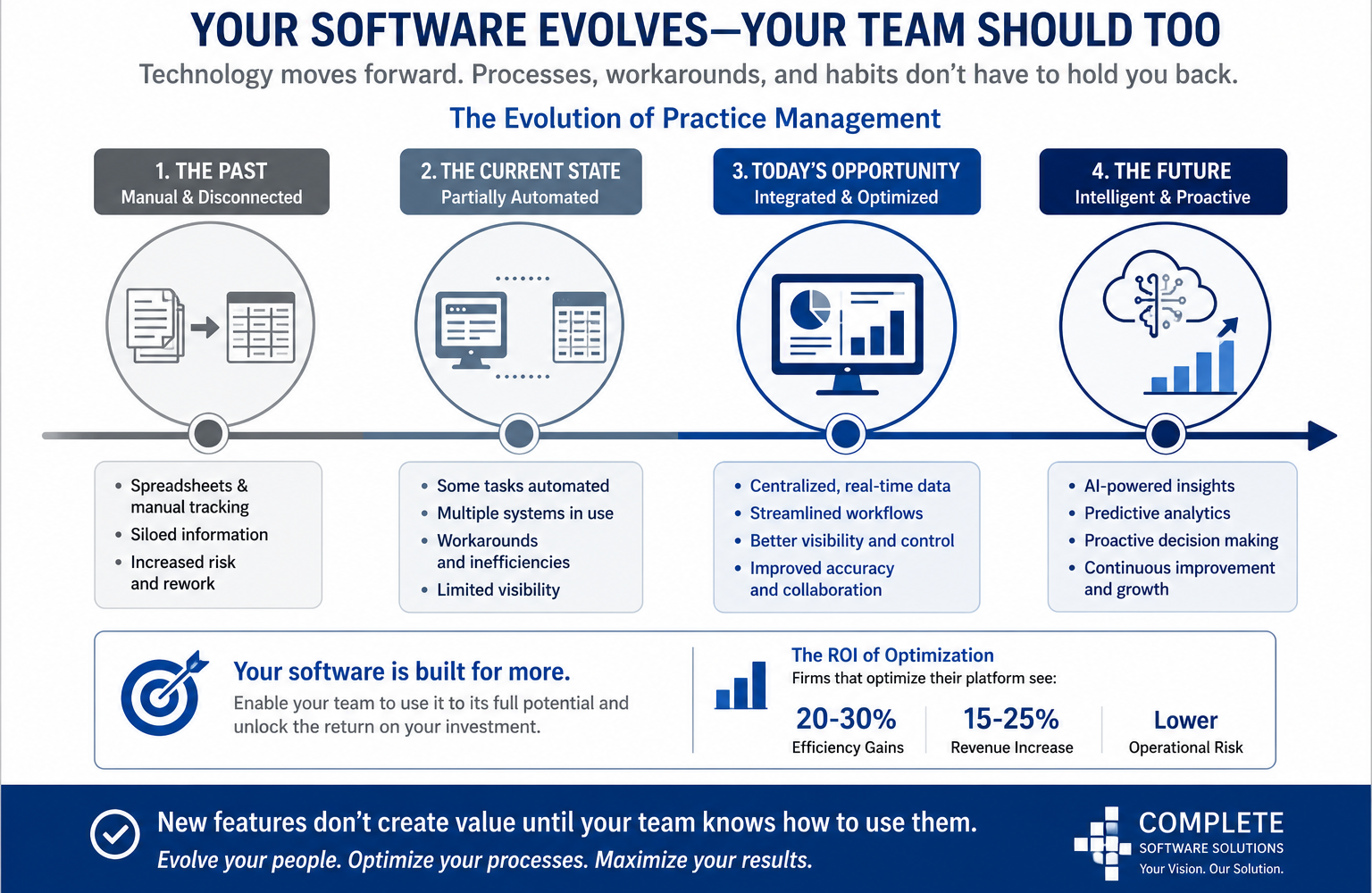
Your Software Evolves. Your Team Should Too
Legal technology is constantly evolving. Software vendors regularly release new features, improve existing functionality, and introduce integrations designed to simplify daily tasks.
At the same time, your firm is evolving by hiring new employees, expanding practice areas, refining workflows, and adapting to changing client expectations. Without continued training, users often rely on the same processes they learned during implementation – even when better, faster methods become available. Keeping your team current ensures your software continues working for your firm instead of becoming another system everyone simply gets by with.
“The best software is not the one with the most features. It is the one your team knows how to use.”
– Complete Software Solutions
Are You Leaving Money on the Table? Unlocking Hidden Software Value
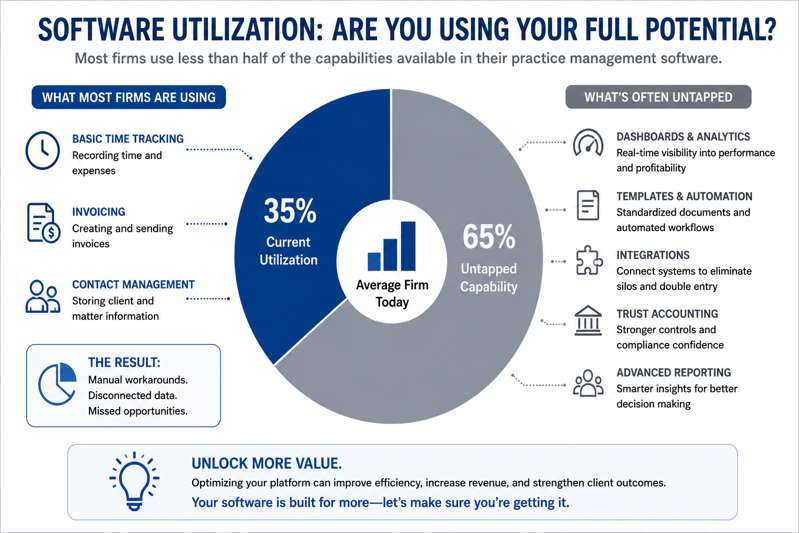
One of the most common comments we hear from law firms is: “I didn’t know our software could do that.”
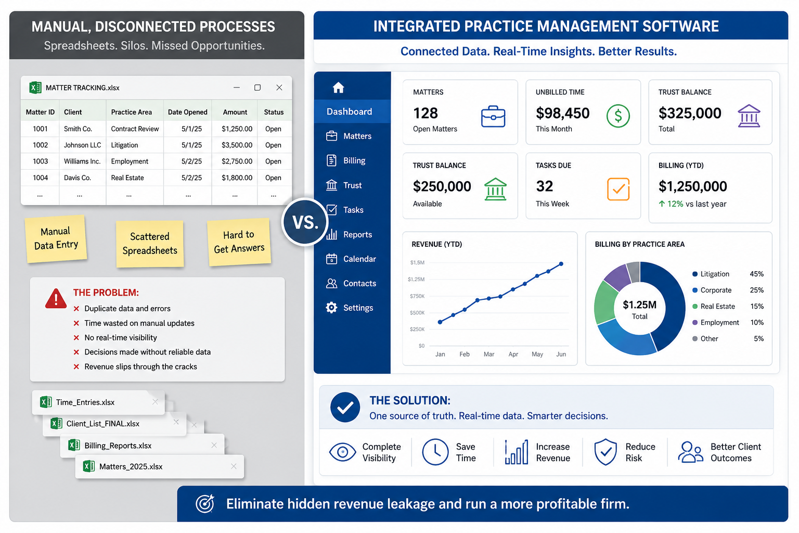
Whether it is workflow automation, custom dashboards, document templates, reporting tools, or built-in productivity features, many firms use only a fraction of the capabilities already included in their practice management software.
If your team still relies on spreadsheets, duplicate data entry, or manual processes, there is a good chance your software already offers a better solution. The challenge usually isn’t the technology. It’s knowing how to use it effectively.
The Power of Micro-Training: Small Tweaks, Big Returns
Training does not always require a full-day class or a complete system review. Sometimes a one-hour session focused on a specific topic can save dozens of hours over the course of a year.
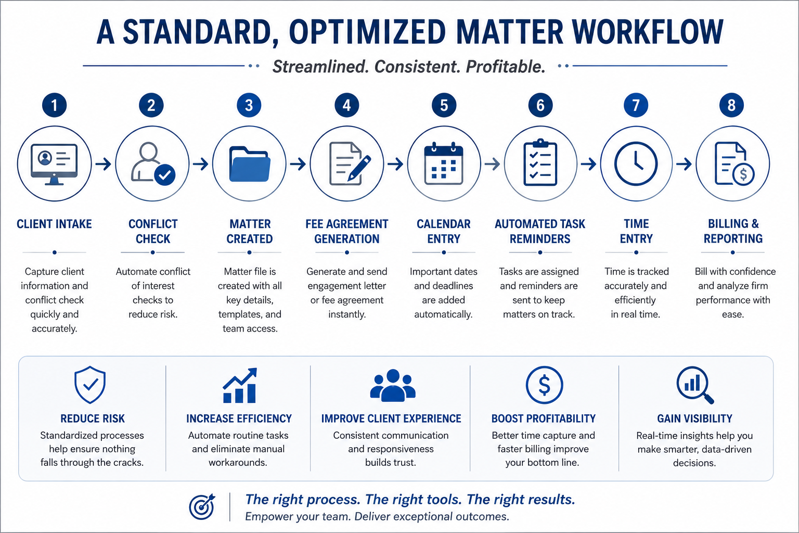
- Automating repetitive workflows
- Creating reports that replace manual spreadsheets
- Improving time entry and billing processes
- Building dashboards for attorneys and firm management
- Training new employees using standardized procedures
- Introducing new features released through software updates
Small improvements made consistently often produce the greatest long-term results.
Confident Teams Drive Firm-Wide Success
Successful software is not measured by the number of features it includes. It is measured by how confidently people use it.
When attorneys and staff receive ongoing education, they become more comfortable exploring new functionality, asking questions, and improving the way they work.
- Increased attorney and staff productivity
- Greater consistency across the firm
- Better reporting and business insights
- Faster onboarding for new employees
- Reduced support requests
- A greater return on your technology investment
Beyond Go-Live: A Long-Term Technology Partner
At Complete Software Solutions, we believe implementation is only the beginning.
Technology should continue supporting your firm’s success long after the initial rollout. That is why we partner with law firms to provide ongoing software training, workflow optimization, reporting guidance, and practical consulting as their business and technology needs evolve.
Whether your firm implemented its software six months ago or six years ago, regular training helps ensure you’re getting the most from the tools you have already invested in.
The Audit: Is Your Firm Actually Maximizing Its Tech Investment?
If your team still relies on manual processes, spends hours creating spreadsheets, or simply isn’t sure whether your software can do more – it may be time for a fresh perspective.
A few targeted training sessions can often uncover overlooked features, simplify everyday tasks, and improve consistency across your firm. Technology is one of the largest investments a law firm makes. Ongoing training ensures that investment continues delivering value year after year.
| Ready to Get More from Your Practice Management Software? If it’s been a while since your team received formal training – or you’re wondering whether you’re getting the most from your current system – Complete Software Solutions can help. Schedule a complimentary consultation: www.css-ga.com |
About Complete Software Solutions
Complete Software Solutions helps law firms maximize the value of their legal technology through software consulting, implementation, workflow optimization, ongoing training, reporting, and long-term support. Our goal isn’t simply to help firms implement technology – we help them use it more effectively as their needs evolve.